Localization Automation
Designing a scalable localization workflow across a multi-brand product at CMT
Role: Product Designer
Focus: Localization, Internal Tooling
Reduced localization cleanup from hours to minutes
Scaled localization workflows across a multi-brand product
Improved accuracy and consistency of customer-facing designs
Problem
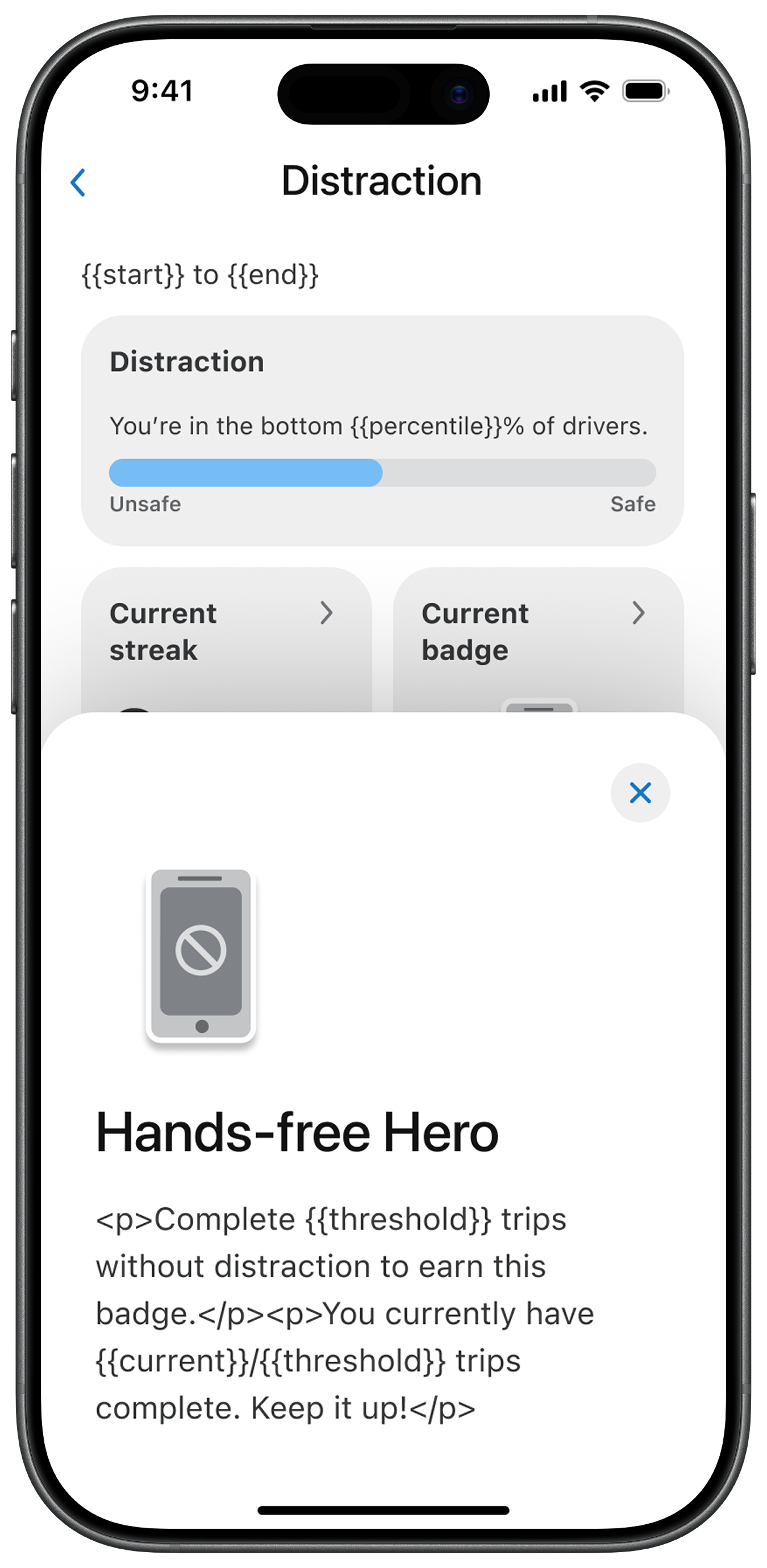
Raw localization output with placeholders and formatting issuesAs we continued to expand our product to support multiple brands, we introduced localization into the design workflow.
Customers could now review translated screens directly in Figma, improving collaboration and reducing late-stage changes.
However, the output introduced significant friction, creating a need for a scalable way to prepare localized designs for review.
What broke
Localization strings included raw placeholders (e.g. {{app-name}}, {{driver-name}})
HTML tags (<b>, <ol>) appeared directly in UI text
Formatting inconsistencies disrupted layout and readability
Why it mattered
Required hours of manual cleanup per file
Introduced errors due to dynamic variations
Did not scale across features and languages
Approach
Localization cleanup was being treated as a manual design task, but the underlying issue was systemic.
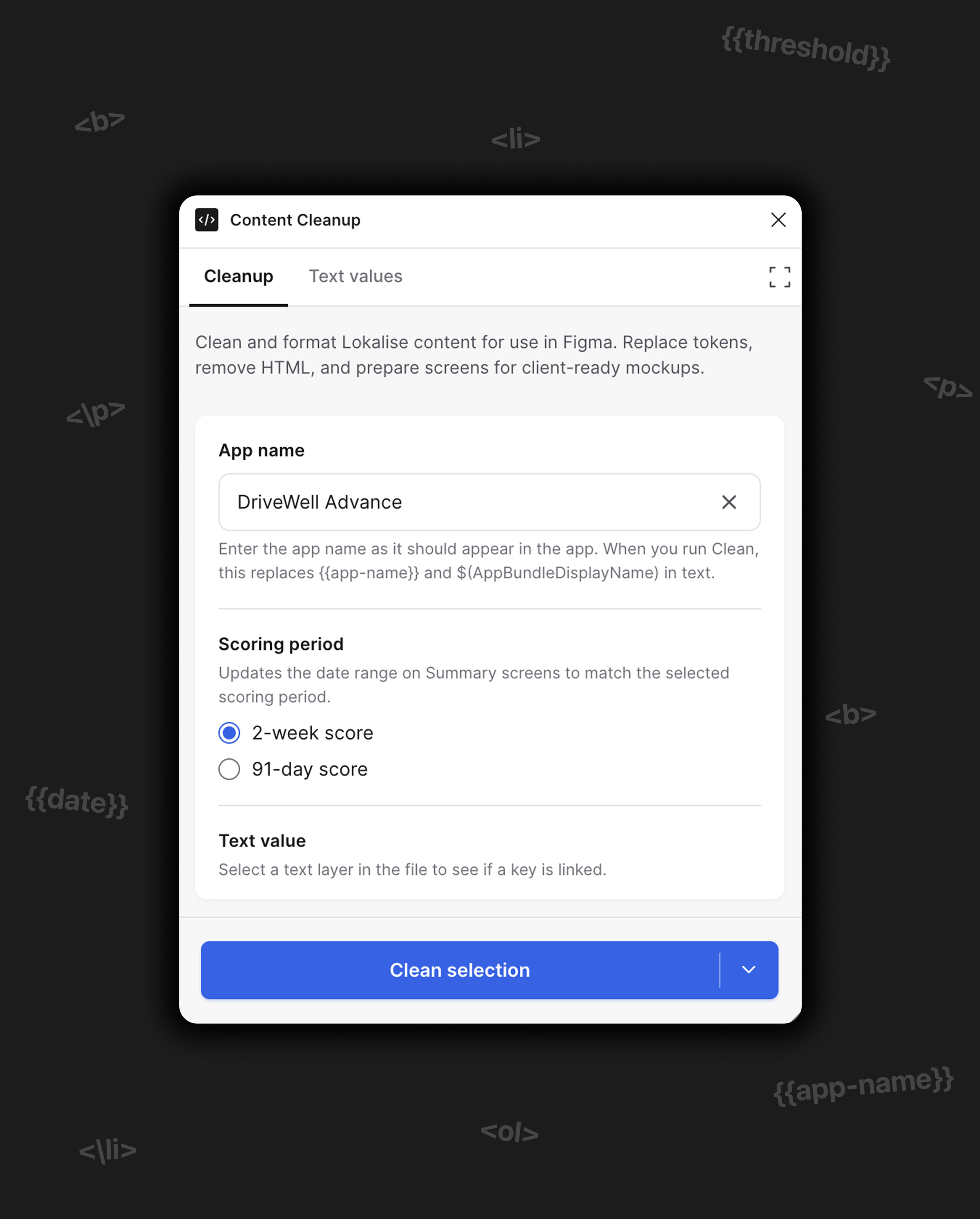
I reframed this as a workflow problem and designed a system to transform raw localization output into review-ready content directly within Figma.
Instead of relying on manual cleanup, the solution applies structured rules and reusable mappings to resolve placeholders, normalize formatting, and standardize text across screens.
This enables localized designs to be prepared in a single pass, improving consistency and eliminating repetitive pre-review work.
Key Decisions
Designing the solution required several key decisions to ensure the system was scalable, flexible, and resilient to change.
Decoupling logic from layer structure
Early iterations relied on layer names to determine how placeholders should be replaced. This proved unreliable, as component updates or resets could break the logic.
I introduced a binding system that attaches keys directly to text layers, decoupling the replacement logic from the underlying structure.
Result: This made the system more resilient and reusable across files, ensuring it would continue to work as designs evolved.
Supporting dynamic placeholder variation
Localization strings often required different values depending on context (e.g. multiple driver names across different flows).
Instead of relying on global find-and-replace, I designed a system of reusable bindings that could be configured and applied at the layer level.
Result: This allowed placeholders to resolve correctly based on context, reducing errors and maintaining flexibility across screens.
Designing for flexible application
Localization cleanup needed to work across different stages of the workflow—from small updates to full-file transformations.
I introduced flexible scope controls, allowing the system to be applied to a selection, a page, or an entire file.
Result: This made the solution adaptable to different use cases, improving usability and reducing unnecessary processing.
What I built
From idea to implementation
I started by exploring how to automate localization cleanup using AI-assisted development.
Initial iterations focused on validating whether a plugin could reliably transform raw localization output into usable content within Figma.
Final system
The final solution evolved into a structured system that:
Applies reusable bindings to resolve dynamic placeholders
Cleans and normalizes localized text across screens
Supports flexible application across selections, pages, and full files
Impact
Reduced manual effort
Cut localization cleanup from hours to minutes per file
Improved accuracy
Removed formatting issues and placeholder errors across screens
Enhanced customer review
Provided clear, review-ready designs directly in Figma
Scaled the workflow
Enabled consistent localization across products and languages